You can also check a standard ticket online without installing MELM. Go straight to the entry form for standard ticket evaluation. The rest of this page describes MELM software usage.
What is lotto system evaluation?
For partial systems (also known as VEW played on the system ticket), you cannot read prize counts directly. Traditionally you need a VEW template (“cross‑roll pattern”). Modern tools make this easier. As with German lotto generally, there’s no difference between Wednesday and Saturday here—the system being evaluated is what matters.
First distinguish a normal grid (a single 6‑number line) from a lotto system with more than 6 chosen numbers (“system numbers”). For a partial system (“VEW system”), you also need the appropriate pattern and the payout table (see Analysis). MELM evaluates all German full and partial systems. Below is a short guide to perform a complete lotto evaluation with MELM.
Update lotto numbers and prizes online
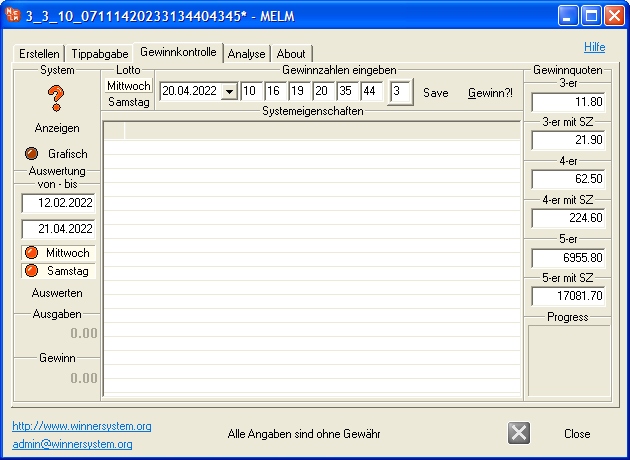
1) User‑friendly options: enter winning numbers and prize tiers manually (you can also set ticket price and handling fee per ticket of 12 grids in melm.cfg), use the last 3 stored draws (from the “Date” combo box; reduced from 10 to 3 for clarity), or download current numbers and prize tiers via Internet (buttons Wednesday/Saturday). You can also download numbers with prize tiers since 2011 by entering the draw date (Wed/Sat). You may save retrieved numbers and tiers by pressing “Save”; or type the date (exactly 10 chars), numbers and tiers into the fields and press “Save”. On draw day, tiers are not yet known (“-”), so standard estimates are used and total win (bottom left) is not shown. “Reset” lets you store average tiers if desired. Then select the stored combination from the combo box when evaluating.
Prize check – single draw
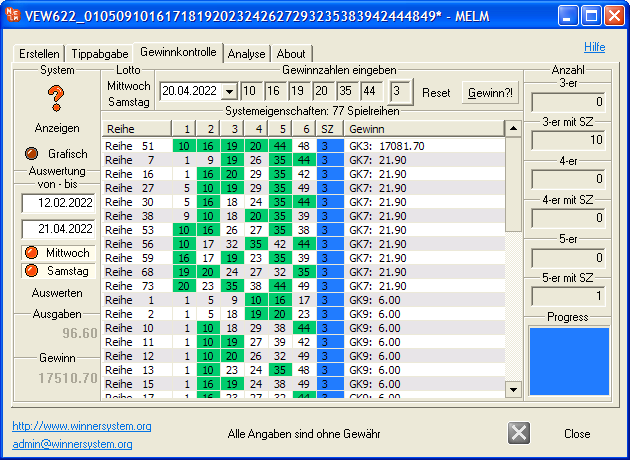
2) Click “Win” to evaluate: winning numbers are highlighted green, Superzahl in blue. This “lotto evaluation” is very fast compared to typical online tools or spreadsheets. You can evaluate any numbers: current, stored, hypothetical, or random (enter sorted). Results can be sorted by clicking a column in “System properties”; drag columns to reorder. The example shows a VEW 622 with 77 lines. “Progress” shows progress; a short beep signals completion. Enter ticket price and handling fee in the top fields for exact accounting (also saved via “Save”). Results are mapped to prize classes; actual wins and costs are calculated. Left: totals; right: hits per class. Use “Reset” to adjust tiers; on new numbers, average tiers are prefilled. You can store new numbers even on draw day (e.g., received via WhatsApp): enter date (10 chars) and numbers, keep the average tiers, press “Save”. Then select this combination later from the combo box.
Convenient evaluation over multiple weeks (incl. prize tiers)
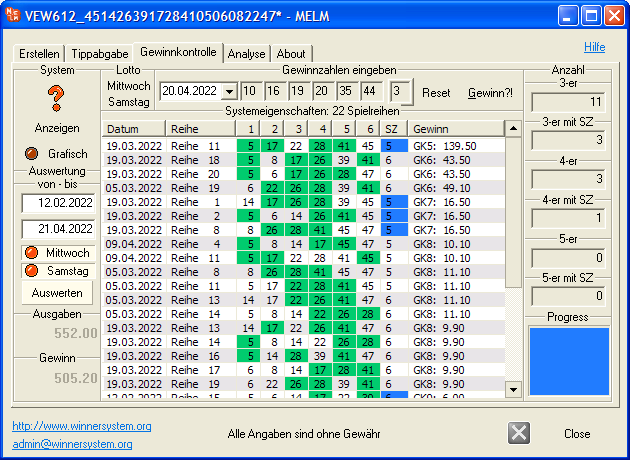
3) Since v7.24 you can evaluate your numbers over a longer period (in older unregistered versions slowed and up to 10 weeks; for registered versions since our archive change to 2013‑05‑04, longer). First select the period (exact 10 chars in each date field) and choose participation days (Wed only, Sat only, or both). Click “Evaluate”. As with “Win”, MELM processes each draw in sequence, marking winners in green and the Superzahl in blue. Totals (costs and winnings) appear on the left; counts per prize class on the right (class 9 fixed €6 excluded). Ticket price (e.g., €1.20) and default handling fee (€0.60 per 12‑grid ticket) can be changed via melm.cfg.
Show systems – crosses and roll patterns
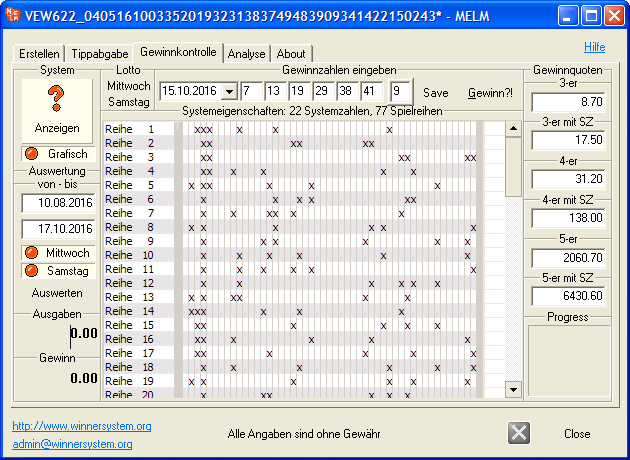
4) Display the system as a cross‑roll pattern by enabling “Graphic” (see screenshot). Crosses correspond to lotto numbers and are aligned correctly (unlike in “Analysis › Payout tables”). If you like MELM, please consider rating it on software portals such as ComputerBild: MELM at ComputerBild.