Generating new lotto lines in the MELM program
Generate your own lotto numbers with our online random number generator. Select 6 out of 49 numbers and start the generator. The description below refers to the generator integrated into the MELM lottery software.
Workflow (see the menu above): first create a lotto system (“Create” – this page), then submit your system ticket or standard ticket to an online retailer (“Transfer”), and after the draw check your tickets for prizes (“Evaluation” – prize tiers are determined automatically). Optional: full lotto system analysis (“Analysis”).
Built-in lotto generator: overview
1) After launch, the “Create” section is available. Click desired system numbers on the grid or enter them (two-digit format, e.g., 09) in the text field. The count of selected numbers appears at “Pattern”. Buttons for systems possible with this count are enabled; click one to generate and load it.
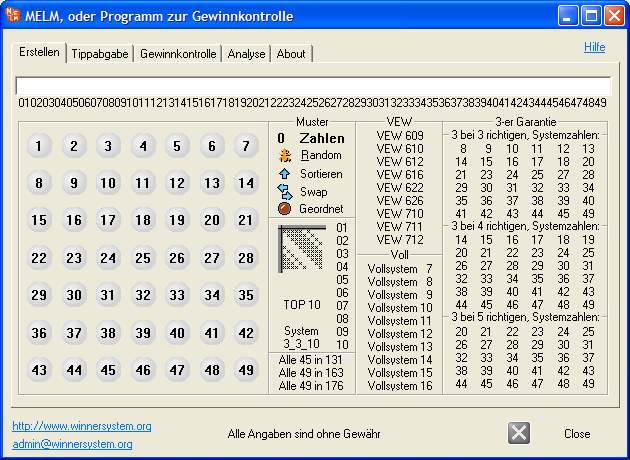
Figure: Start screen with “Create” area and number entry options (screenshot in German).
back to top
System evaluation: manual entry of single lines
2) With exactly 6 numbers selected, the “Insert” button appears to add the single line. Use “Random” (or press R) to create a new 6-number combination so you can prefer your desired numbers.
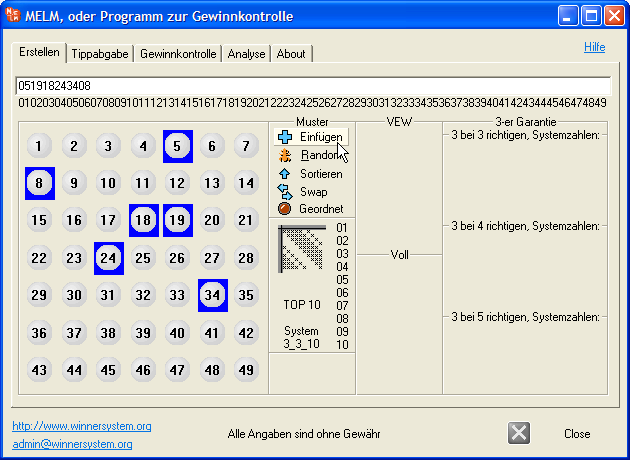
Figure: Insert a single 6-number line or generate a random 6-number line (screenshot in German).
back to top
TOP 10 random generator
3) The “TOP10” button generates 10 numbers and creates a 3_3_10 system of 10 lines, loading it immediately (system name shown in the title). This has “3-out-of-3” and “4-out-of-6” guarantees and is cheaper than state VEW 609 (also 3-out-of-3 but 9 numbers in 12 lines). See more under Lottery systems. Click repeatedly until you like the 10 numbers.
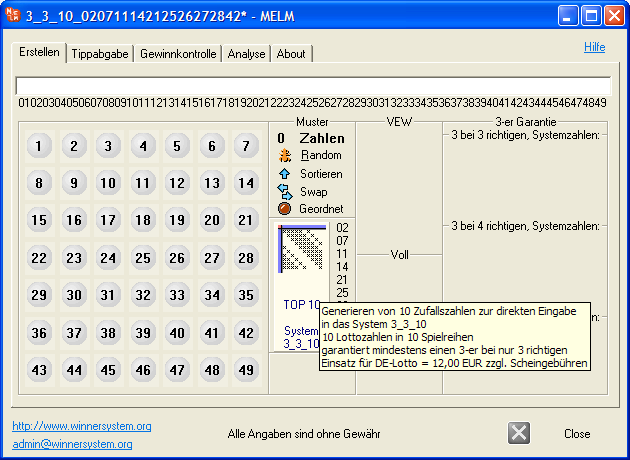
Figure: One-click creation of 3_3_10 system from 10 generated numbers (screenshot in German).
back to top
Lotto number generator as freeware
4) Note: Earlier trial versions truncated systems to the first 35 lines. Since version 7.28 there are no such limitations; the generator can produce any required amount of numbers.
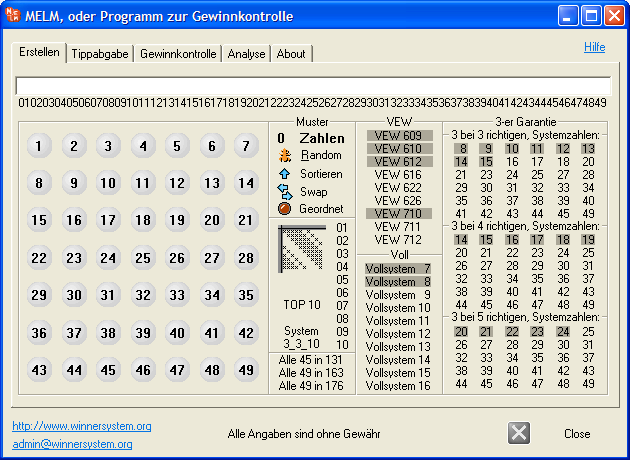
Figure: Overview of available systems and online submission options (screenshot in German).
back to top
Lotto number generator: VEW 622 partial system
5) Example for creating state VEW and full systems and unique guaranteed systems with VEW 622: Suppose you marked 22 numbers 2 3 6 8 9 12 18 19 21 23 27 29 31 32 33 35 36 40 41 42 45 49. Enter them in the top field (single digits as 02, 03, etc.) or click them on the grid (any order). Then press VEW 622.
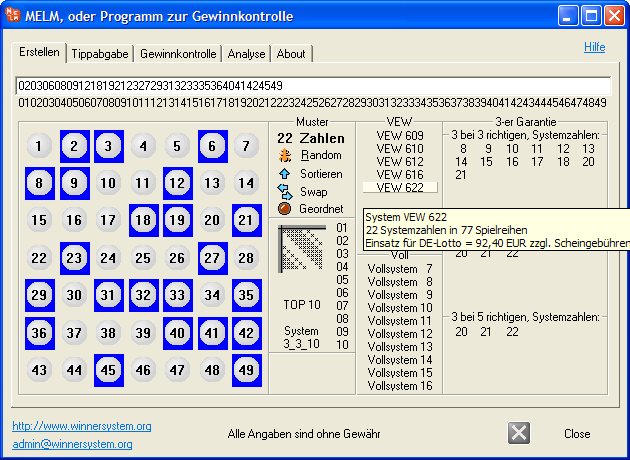
Figure: Entering or clicking the 22 numbers for VEW 622 (screenshot in German).
back to top
Generate multiple numbers for a system
6) Alternative approach: if you want 22 numbers for VEW622 generated, first click the number 22 (target system size).
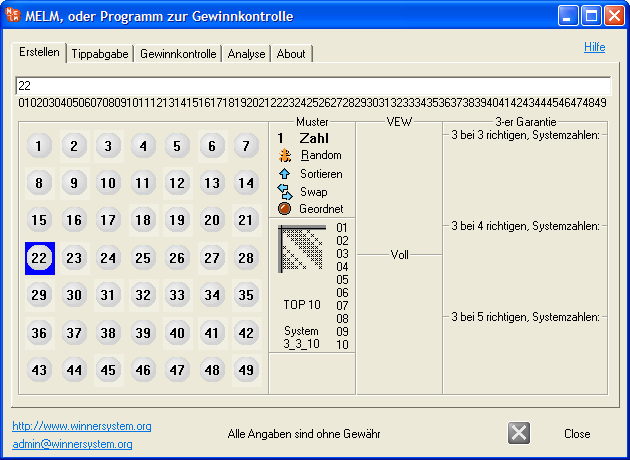
Figure: Selecting the target count (22) before random generation (screenshot in German).
back to top
Generate random numbers
7) Click “Random” to generate 22 numbers. You can repeat (or press R) until you like the set. Works for any count. Tip 1: to change the count or clear selection, click another number and press “Random” again. Tip 2: pressing “Random” with no count selected shuffles all 49 numbers—useful when choosing a large set (deselect unwanted numbers afterward).
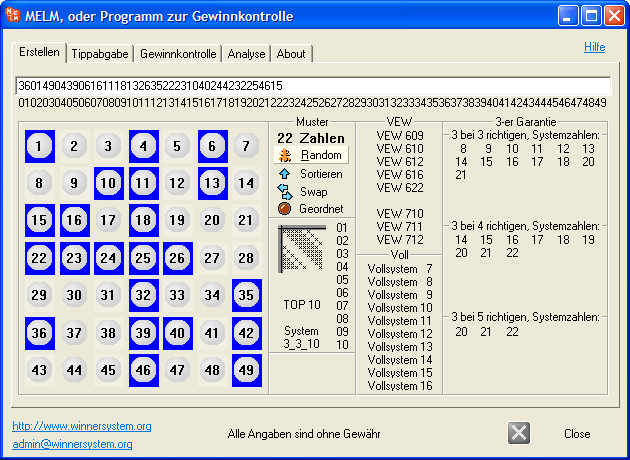
Figure: Randomly generated set of 22 numbers (screenshot in German).
back to top
Adopt VEW lotto numbers
8) Back to the VEW 622 example: after selecting 22 numbers, click “VEW 622”.
You can now check and analyze the system as usual! Lines are grouped into tickets (max 12 lines each) for easy online play. We recommend playing with the current fee-comparison winner.
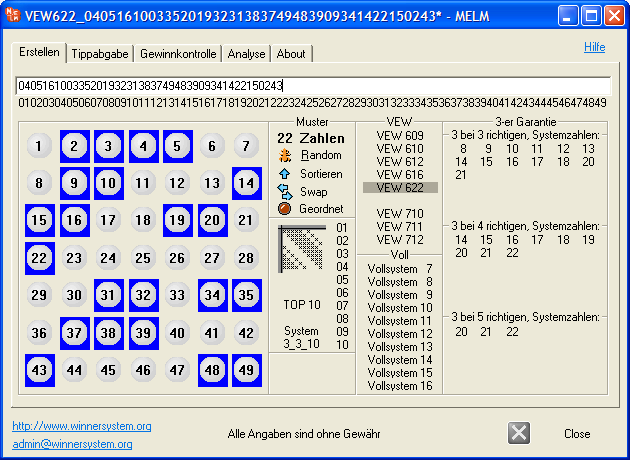
Figure: Creating the VEW 622 system and loading it (screenshot in German).
back to top
Sort system numbers of a system
9) Important: pressing “VEW 622” a second time toggles sorting ascending/descending (indicated by the arrow on “Sort”). With the wrong direction, the result does not match the official VEW system. Use the “Ordered” checkbox to control whether sorting applies.
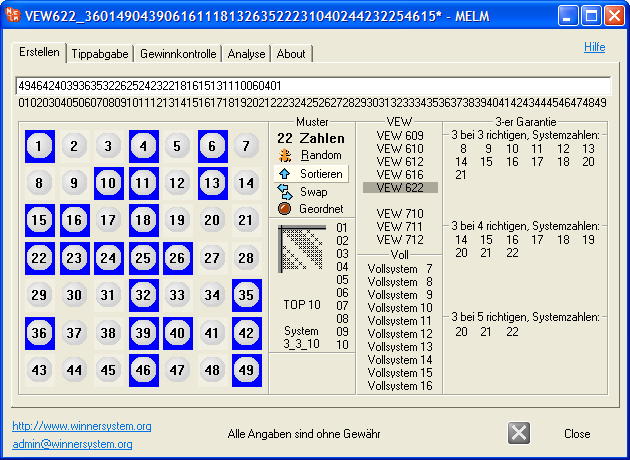
Figure: Sorting mode for system numbers and the “Ordered” option (screenshot in German).
back to top
Change system numbers of a system (Swap)
10) Program highlight #3: you can change the system numbers of any loaded system (“Swap”). Useful for syndicates to avoid identical lines across copies. It’s a 3-step process. First click shows the current system’s numbers (requires a previously loaded system—save/load via Load / Save). You then know how many numbers to enter/click.
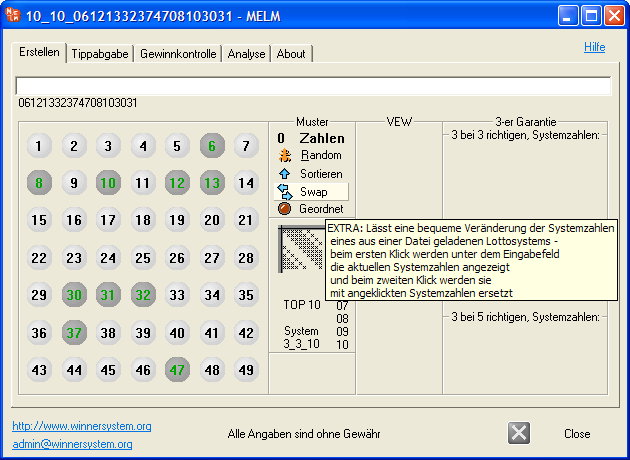
Figure: Swap step 1 – highlighting existing numbers of the loaded system (screenshot in German).
11) Now choose the same count of new system numbers; you may reuse some of the old ones. You can also use this to reorder the same set. The example shows number 32 present in both sets.
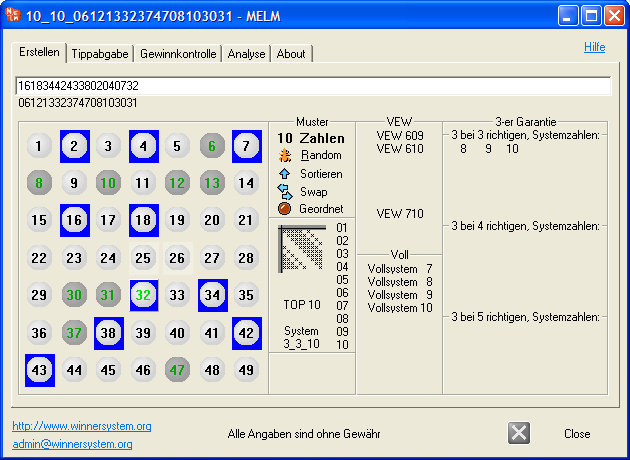
Figure: Swap step 2 – entering/selecting the new set (screenshot in German).
12) After entering the same count of new numbers, click “Swap” again to apply the change. Then view/analyze the system as usual (tabs “Evaluation” / “Analysis”).
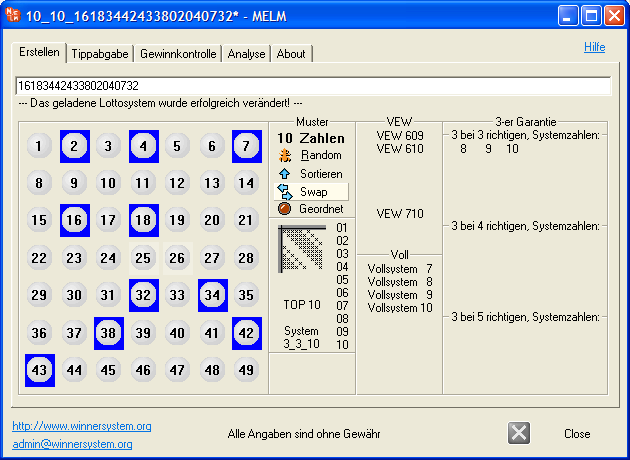
Figure: Swap step 3 – changed system is now active (screenshot in German).
back to top
Unique systems: custom lotto systems
13) Program highlight #4: with the “Ordered” option you can create your own VEW-style system where the order of system numbers matters when “Ordered” is enabled. More under Lottery systems.
VEW 609
Cross-roll pattern
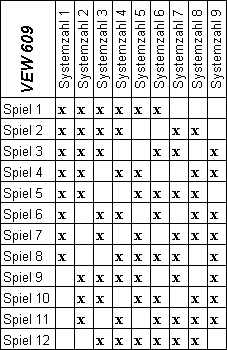
System numbers: 14 16 39 26 29 11 42 47 28
Standard VEW, “Sorted”
11 14 16 26 28 29 39 42 47 |
| 1) | 11 14 16 26 28 29 |
| 2) | 11 14 16 26 39 42 |
| 3) | 11 14 16 29 39 47 |
| 4) | 11 14 26 28 42 47 |
| 5) | 11 14 28 29 39 42 |
| 6) | 11 16 26 29 42 47 |
| 7) | 11 16 28 39 42 47 |
| 8) | 11 26 28 29 39 47 |
| 9) | 14 16 26 28 39 47 |
| 10) | 14 16 28 29 42 47 |
| 11) | 14 26 29 39 42 47 |
| 12) | 16 26 28 29 39 42 |
MELM, unique, “Unsorted”
14 16 39 26 29 11 42 47 28 |
| 1) | 11 14 16 26 29 39 |
| 2) | 14 16 26 39 42 47 |
| 3) | 11 14 16 28 39 42 |
| 4) | 14 16 26 28 29 47 |
| 5) | 11 14 16 29 42 47 |
| 6) | 11 14 26 28 39 47 |
| 7) | 14 28 29 39 42 47 |
| 8) | 11 14 26 28 29 42 |
| 9) | 16 26 28 29 39 42 |
| 10) | 11 16 28 29 39 47 |
| 11) | 11 16 26 28 42 47 |
| 12) | 11 26 29 39 42 47 |